5S for GCC Workspace and Digital Hygiene
September 20, 2026
Like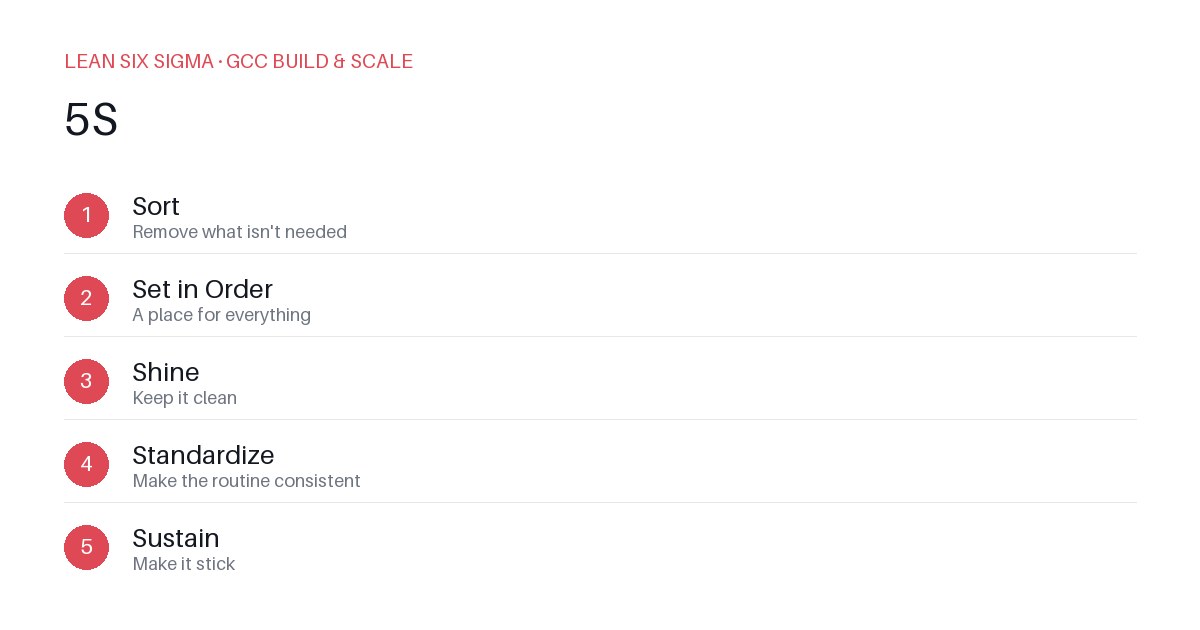
Downloadable templates
A practical walkthrough of applying 5S to real GCC build-and-scale work.
Why 5S Matters for GCC Teams
Scaling a Global Capability Center means standardizing work across sites, handoffs, and teams that have never worked together before. 5S gives you a shared vocabulary and a repeatable sequence for doing that. In a GCC environment, where processes often drift into tribal knowledge or fragmented documentation, 5S provides a disciplined framework to bring clarity, reduce friction, and improve handoff quality. It’s not just a physical organization tool — when applied to digital workflows and knowledge management, it becomes a powerful operational hygiene practice.
The 5S Sequence
- Sort — Remove what isn't needed
- Set in Order — A place for everything
- Shine — Keep it clean
- Standardize — Make the routine consistent
- Sustain — Make it stick
Applying It
Start small: pick one recurring pain point your GCC team hits every week, and walk it through these 5 steps before rolling the approach out more broadly. Download the template below to run your first pass.
Step-by-Step Execution in a GCC Context
Sort: Eliminate Digital Clutter and Redundant Artifacts
In a GCC, “what isn’t needed” often includes outdated SOPs, duplicate process maps, abandoned Confluence pages, or legacy Slack channels that no one uses. Conduct a review of your team’s digital workspace: archive stale documents, delete redundant templates, and consolidate overlapping tools. Ask: “Who actually uses this? When was it last updated? Does it still align with current best practices?” This step prevents knowledge decay and reduces cognitive load during onboarding or cross-site handoffs.
Set in Order: Create a Single Source of Truth
Once clutter is removed, assign a clear, logical location for every remaining asset. This might mean restructuring a shared drive, implementing a standardized naming convention, or mapping a digital dashboard that links to approved process templates. For example, if your GCC manages vendor onboarding workflows, ensure there’s one canonical folder containing the latest checklists, approval matrices, and compliance docs — with clear ownership and access permissions. “A place for everything” reduces search time and prevents teams from reverting to personal workarounds.
Shine: Maintain Visibility and Readability
A clean digital workspace isn’t just about aesthetics — it’s about usability. Regularly audit your knowledge base for broken links, incomplete sections, or outdated screenshots. Use visual cues like status tags (e.g., “Active,” “Under Review,” “Deprecated”) to help users quickly identify current resources. In practice, this might involve scheduling monthly “digital housekeeping” sessions where team members review and refresh key documents. Shine turns a functional system into an intuitive one.
Standardize: Embed Consistency into Workflows
Standardization ensures that everyone follows the same steps, uses the same templates, and documents outcomes in the same format. In a GCC, this could mean enforcing a uniform structure for post-mortems, standardizing how risks are logged in a shared tracker, or creating a reusable playbook for cross-site project handoffs. Standardization reduces variability, which is critical when teams across regions must collaborate seamlessly.
Sustain: Build Accountability and Continuous Improvement
The hardest step — and the most important — is sustaining the system. Without reinforcement, 5S efforts decay. Assign ownership: designate a “5S Champion” per team or region responsible for quarterly reviews. Tie compliance to performance metrics where appropriate. Celebrate wins publicly. Use automation where possible — such as automated expiration alerts for stale documents or scheduled reminders for template updates. Sustainability turns a one-time cleanup into a living operational rhythm.
Next Steps
5S for GCC digital hygiene isn’t about perfection — it’s about progress. Apply it iteratively, measure the impact on handoff quality and onboarding speed, and refine as your center scales. Start with one process. Master the sequence. Then expand.
Comments
Be the first to comment on this post.
Sign in to leave a comment.