5S for GCC Workspace and Digital Hygiene
October 12, 2026
Like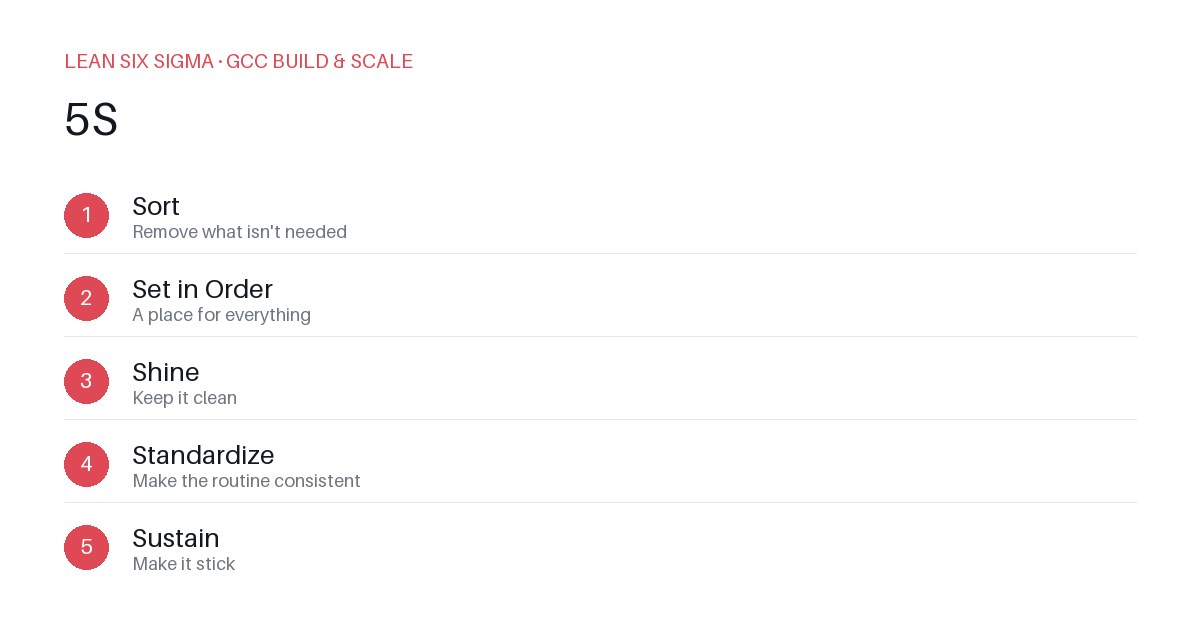
Downloadable templates
A practical walkthrough of applying 5S to real GCC build-and-scale work.
5S for GCC Workspace and Digital Hygiene
Why 5S Matters for GCC Teams
Scaling a Global Capability Center means standardizing work across sites, handoffs, and teams that have never worked together before. 5S gives you a shared vocabulary and a repeatable sequence for doing that. When you’re managing distributed teams, inconsistent processes, and fragmented digital tools, even small inefficiencies compound quickly. 5S isn’t just about tidying up a desk — it’s a disciplined framework for eliminating waste, reducing cognitive load, and creating predictable workflows that scale.
The 5S Sequence
- Sort — Remove what isn't needed
- Set in Order — A place for everything
- Shine — Keep it clean
- Standardize — Make the routine consistent
- Sustain — Make it stick
Applying It to Digital Workspaces
Start small: pick one recurring pain point your GCC team hits every week, and walk it through these 5 steps before rolling the approach out more broadly. Download the template below to run your first pass.
Sort: Eliminate Digital Clutter
Begin by auditing what your team actually uses. Are there outdated Slack channels? Duplicate Confluence pages? Abandoned Jira boards? Archived SharePoint folders that no one accesses? In the physical world, you’d throw away broken tools or unused supplies. Digitally, you archive, rename, or delete. Assign ownership for each artifact — if no one is responsible for maintaining it, it’s a candidate for removal. This step alone can cut search time by 30–50% and reduce confusion during onboarding or handoffs.
Set in Order: Create Intuitive Digital Real Estate
Once you’ve removed the noise, organize what remains with intention. Use consistent naming conventions across folders, repositories, and dashboards. Group tools by function or workflow stage — for example, “Onboarding,” “Delivery,” “Review,” “Archive.” Create a single source of truth for SOPs, templates, and decision logs. If your team uses multiple platforms, map out which tool owns which data and enforce boundaries. Think of this as building a digital floor plan: every item has a labeled shelf, and everyone knows where to find it.
Shine: Maintain Clarity Through Routine
A tidy workspace degrades without maintenance. Schedule weekly “digital housekeeping” sessions where teams review recent activity, update documentation, and close out completed projects. Implement automated cleanup rules — auto-archive old threads, purge stale drafts, flag inactive users. Visual cues matter: use status labels, color-coded tags, or automated dashboards to show what’s active, in progress, or archived. When the workspace reflects current reality, trust increases and rework decreases.
Standardize: Build Repeatable Workflows
Consistency turns good practices into habits. Document the 5S process itself — how to add a new tool, when to archive, who approves changes. Create checklists for onboarding, project kickoff, and handoff. Use templates for recurring deliverables so teams aren’t reinventing the wheel. When every site follows the same 5S rhythm, you reduce variation, improve auditability, and make scaling predictable.
Sustain: Embed 5S into Culture
The final step is the hardest: making 5S self-sustaining. Tie it to performance metrics — track time-to-find, reduction in duplicate work, or onboarding speed. Recognize teams that maintain high digital hygiene. Rotate “5S champions” who lead monthly audits. Integrate 5S into retrospectives and planning ceremonies. When hygiene becomes part of how you operate — not an extra task — it scales effortlessly.
Download the Template
Use this structured worksheet to run your first 5S pass on a specific workflow. Identify artifacts, assign owners, map locations, and schedule review cadences. Share results across your GCC network to build momentum.
Comments
Be the first to comment on this post.
Sign in to leave a comment.