5S for GCC Workspace and Digital Hygiene
September 6, 2026
Like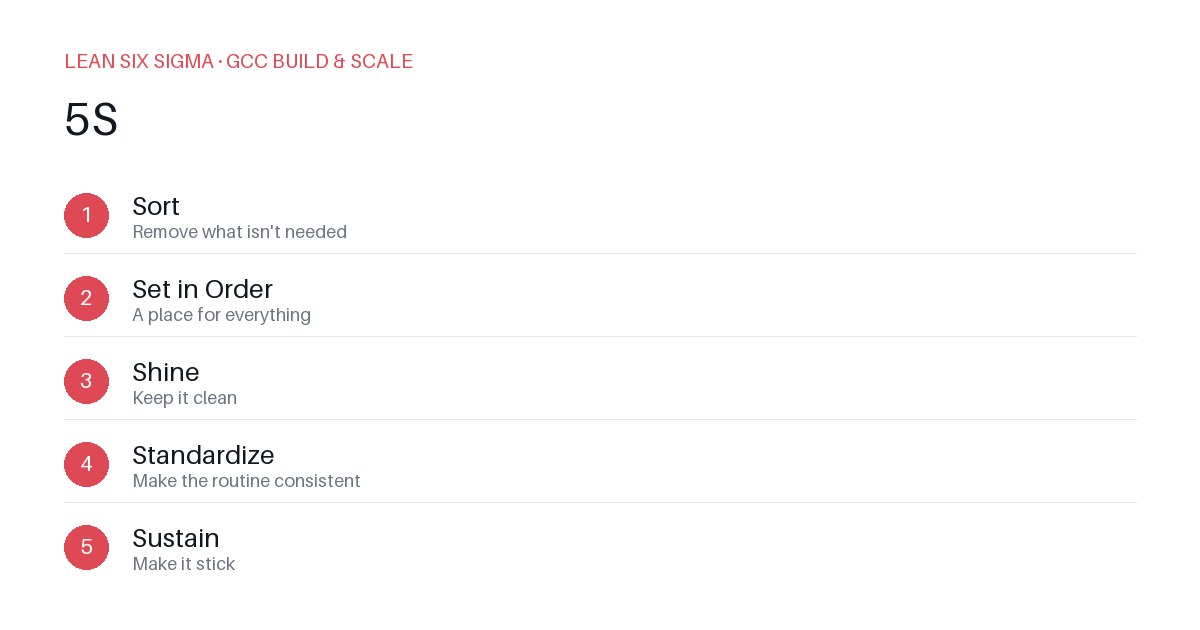
Downloadable templates
A practical walkthrough of applying 5S to real GCC build-and-scale work.
5S for GCC Workspace and Digital Hygiene
Why 5S Matters for GCC Teams
Scaling a Global Capability Center means standardizing work across sites, handoffs, and teams that have never worked together before. 5S gives you a shared vocabulary and a repeatable sequence for doing that. When teams operate from different time zones, use disparate tools, or follow inconsistent documentation practices, friction compounds quickly. 5S cuts through that noise by turning chaos into clarity — both physical and digital. It’s not just about tidying up; it’s about creating systems that make the right actions the easy actions.
The 5S Sequence
- Sort — Remove what isn't needed
- Set in Order — A place for everything
- Shine — Keep it clean
- Standardize — Make the routine consistent
- Sustain — Make it stick
Applying It to Physical and Digital Workspaces
Start small: pick one recurring pain point your GCC team hits every week, and walk it through these 5 steps before rolling the approach out more broadly. Download the template below to run your first pass.
Step 1: Sort — Remove What Isn’t Needed
Begin by auditing both physical and digital assets. In a physical workspace, this might mean clearing out outdated manuals, unused hardware, or expired certificates. Digitally, it could involve deleting obsolete scripts, archived Slack channels, or duplicated Confluence pages. Ask: “Does this item support our current workflow? Is it actively used in the last 30 days?” If not, archive or delete it. This step often reveals hidden bottlenecks — like redundant approval steps or legacy tools that slow down delivery.
Step 2: Set in Order — A Place for Everything
Once clutter is removed, assign a logical, consistent location for each remaining item. For physical items, use labeled bins, shadow boards, or designated zones. For digital assets, enforce folder structures in shared drives, tag resources in your knowledge base, and pin critical files in collaboration tools. The goal is predictability: anyone should find what they need without asking. Consider using naming conventions (e.g., YYYY-MM-DD_ProjectName_Version) and access controls that match role-based responsibilities.
Step 3: Shine — Keep It Clean
“Shine” doesn’t just mean visual cleanliness — it means maintaining readiness. Regularly wipe down workstations, update documentation, and verify that digital dashboards reflect current data. Schedule weekly 15-minute “shine” sessions where teams reset their personal workspaces and verify tool health. In digital environments, this includes clearing old notifications, validating automated reports, and ensuring that CI/CD pipelines are free of deprecated dependencies. Cleanliness here is a signal of operational health.
Step 4: Standardize — Make the Routine Consistent
Turn your cleaned and organized state into repeatable processes. Create checklists for onboarding, incident response, or project kickoffs. Document standard operating procedures (SOPs) and embed them into your team’s workflow tools. Use visual management — like Kanban boards with defined WIP limits or status indicators in status pages — to make expectations transparent. Standardization reduces cognitive load and ensures that new team members can ramp up quickly without tribal knowledge.
Step 5: Sustain — Make It Stick
The most common failure point is abandoning 5S after the initial cleanup. Counter this by integrating maintenance into existing rhythms. Assign “5S champions” in each pod to conduct monthly audits. Tie compliance to performance reviews or team health metrics. Celebrate wins publicly — like a team that reduced onboarding time by 40% after standardizing their digital workspace. Sustainment isn’t a one-time project; it’s a cultural habit.
Running Your First 5S Pass
Use the attached template to document your current state, identify quick wins, and assign owners for each step. Focus on one workflow — such as incident triage, sprint planning, or client handoff — to demonstrate impact before scaling. Track metrics like time-to-resolution, documentation accuracy, or tool adoption rates to quantify improvement.
This post is too short for good SEO. Expand it to 400-600 words by adding concrete detail, examples, or steps relevant to its EXISTING topic — do not change its existing meaning or invent claims unrelated to it. Keep any existing Markdown headings and build on them; add more '## ' subheadings if useful. Output ONLY the full expanded Markdown content, nothing else.
Comments
Be the first to comment on this post.
Sign in to leave a comment.