5S for GCC: Clean Workspace, Boost Delivery Flow
October 7, 2026
Like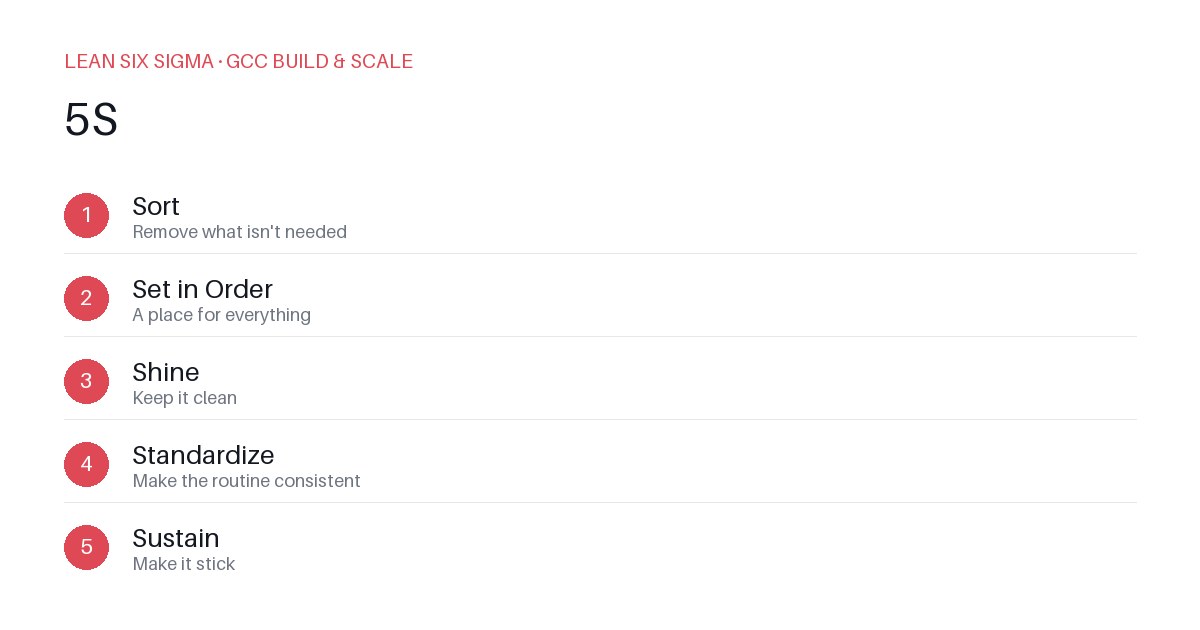
Downloadable templates
Apply 5S to your GCC workspace and digital tools to eliminate clutter, reduce search time, and accelerate delivery.
Why 5S Matters in a GCC Context
A Global Capability Center (GCC) isn’t just a cost center—it’s a delivery engine. But if your team wastes time hunting for the right template, version, or approval, you’ve already lost your advantage. 5S—Sort, Set in Order, Shine, Standardize, Sustain—isn’t just for factory floors. It’s a practical framework to clean up both physical and digital workspaces so your people can focus on value, not friction.
Sort: Eliminate What Doesn’t Add Value
Start by asking: Does this file, tool, or process directly support our current delivery goals?
- Archive old project docs that haven’t been accessed in 6 months.
- Remove redundant dashboards that duplicate reports already in Power BI or Tableau.
- Stop using three different ticketing systems when one can do the job.
Example: A GCC in India discovered 40% of their shared drives were filled with duplicated PowerPoint decks from past projects. They sorted, kept only the latest approved versions, and moved the rest to cold storage. Result: Faster onboarding for new analysts.
Set in Order: Make the Right Things Obvious
Once you’ve sorted, organize what remains so it’s instantly findable.
- Use consistent naming conventions:
YYYYMMDD_GCCProject_Version_Author. - Pin critical templates and SOPs to the top of your shared drive or Confluence page.
- Create a “Quick Start” folder for new hires with everything they need in week one.
Scenario: A GCC team struggled with version control because files were named like “report_final_v2_revised.docx.” They implemented a strict naming rule and a single source of truth. Search time dropped by 70%.
Shine: Keep Your Workspace Clean and Clear
Shine isn’t just about tidiness—it’s about mental clarity.
- Delete unused shortcuts from your desktop and browser.
- Clear out stale Slack channels and mute non-essential notifications.
- Schedule weekly “digital declutter” sessions where teams review and archive old files.
Pro tip: A clean workspace reduces cognitive load. When your team isn’t distracted by clutter, they make fewer errors and move faster.
Standardize: Lock in the Good Habits
Without standardization, 5S efforts fade quickly.
- Document your naming rules, folder structures, and tool usage in a living playbook.
- Use automation where possible: scripts to auto-archive old files, bots to close stale tickets.
- Make the “right way” the default. If it takes more steps to do it wrong, you’ll win.
Example: A GCC standardized their daily standup format and shared a shared calendar invite template. New members onboarded faster, and consistency improved.
Sustain: Make It Stick
Sustain is where most organizations fail. 5S isn’t a one-time project—it’s a culture.
- Assign 5S champions in each team to model and reinforce behavior.
- Tie 5S compliance to performance reviews or recognition programs.
- Review and adapt your systems quarterly. What worked last year may not work today.
Real scenario: A GCC in Europe tied 5S adherence to their monthly maturity scorecards. Teams that consistently maintained clean workspaces got recognized and received small bonuses. Adoption skyrocketed.
Bottom Line
5S for GCC workspaces and digital hygiene is about removing friction so your people can deliver value faster. Start small: pick one team, one tool, and apply 5S. Measure the time saved, the errors reduced, and the morale boost. Then scale. Clean workspaces don’t just look good—they perform better.
Comments
Be the first to comment on this post.
Sign in to leave a comment.