5S for IT: Eliminate Digital Clutter & Boost Team Efficiency
August 17, 2026
Like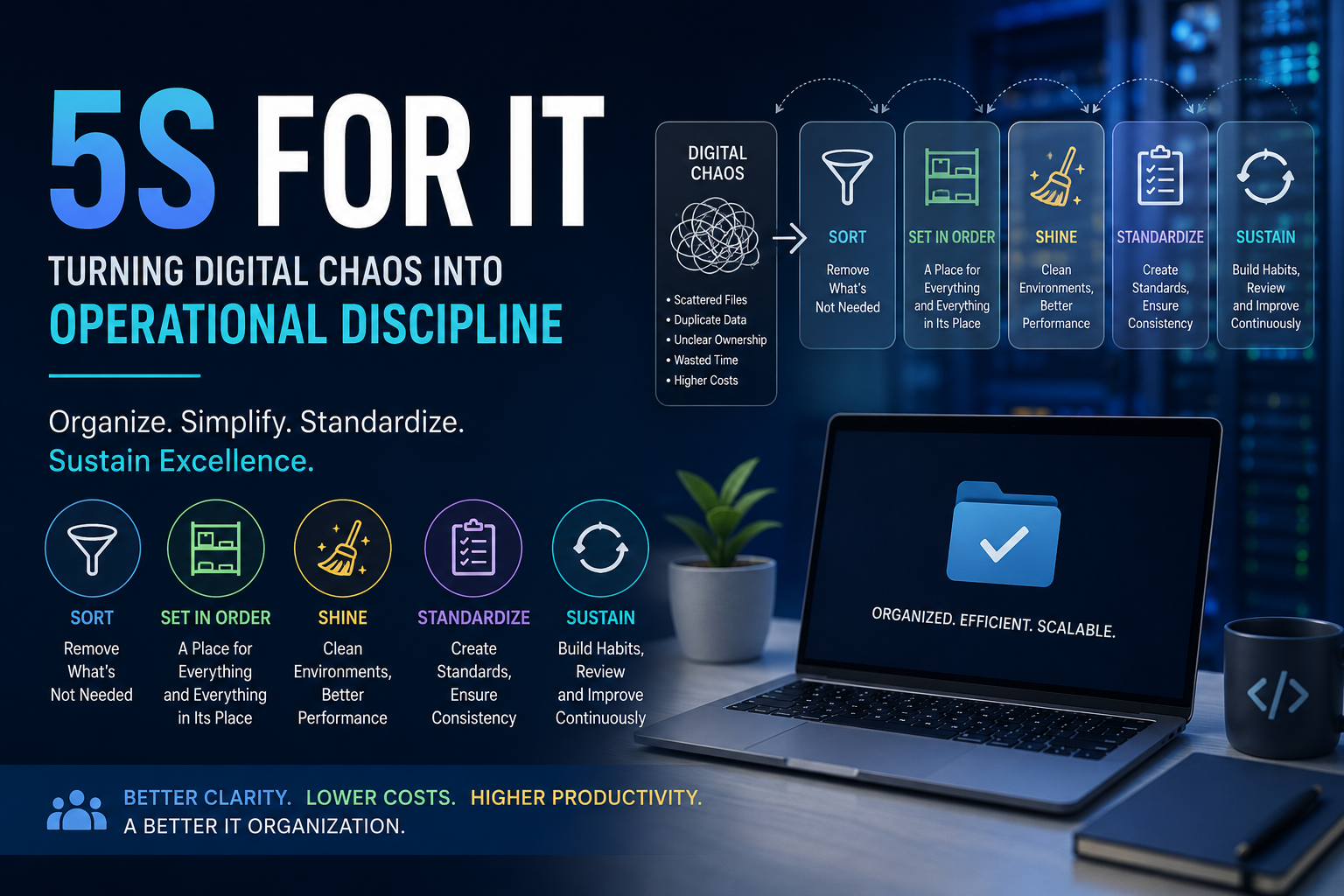
Downloadable templates
Learn how to apply 5S methodology to IT teams, reducing digital clutter, waste, and inefficiency for better operational discipline.
5S for IT: Turning Digital Chaos Into Operational Discipline
It usually starts with something small.
A developer needs to find an API document.
They search the shared drive.
They find three versions.
One says Final.
Another says Final_v2.
And the third one was updated six months ago, but nobody knows whether it's still valid.
So they ask someone on the team.
Twenty minutes later, they finally find the right document.
Now imagine this happening every day across a 50-person technology team.
That is where the real problem begins.
It isn't one missing document.
It is the accumulation of small inefficiencies that quietly consume time, create frustration, and slow teams down.
And this is exactly why I find 5S interesting for IT.
Most people associate 5S with manufacturing floors, tool racks and neatly organized workstations.
But the underlying idea is much broader:
Remove what you don't need. Organize what you do. Keep it clean. Create standards. Make those standards stick.
That applies just as well to a cloud environment, code repository or IT operations team.
So, What Does 5S Look Like in IT?
The five principles are:
- Sort
- Set in Order
- Shine
- Standardize
- Sustain
Let's look at them from an IT perspective.
1. Sort — Get Rid of the Digital Clutter
Think about your team's environment for a moment.
How many repositories haven't been touched in years?
How many cloud resources are running because nobody wanted to risk deleting them?
How many old architecture documents are still sitting in SharePoint or Confluence?
How many unused SaaS licenses are being paid for?
How many old user accounts are still active?
And how many dashboards exist that nobody actually looks at?
This is Sort.
The first step is simply to separate what is useful from what isn't.
For example:
Documentation
Remove or archive:
- Outdated architecture diagrams
- Deprecated API specifications
- Duplicate process documents
- Old onboarding material
- Obsolete runbooks
Cloud
Review:
- Idle virtual machines
- Unused databases
- Old snapshots
- Forgotten test environments
- Unattached storage
Code
Look for:
- Abandoned repositories
- Deprecated branches
- Duplicate projects
- Temporary scripts
- Dead code
Access
Review:
- Inactive users
- Former employees
- Excessive permissions
- Old service accounts
- Unused application access
The question is surprisingly simple:
Do we still need this?
If not, remove it.
If you're not sure, investigate it.
2. Set in Order — Make Things Easy to Find
Getting rid of clutter is only half the job.
The next question is:
Where does everything belong?
That's Set in Order.
A technology team shouldn't need tribal knowledge to find basic information.
Imagine a documentation structure like this:
IT Documentation
│
├── Architecture
├── APIs
├── Infrastructure
├── Security
├── Operations
├── Runbooks
├── Onboarding
└── Standards
Now compare that with:
New Folder
Final
Final 2
Old
Old New
Misc
Miscellaneous
Important
Important New
We've all seen some version of the second one.
The problem isn't that people don't care about organization.
The problem is that nobody established a standard.
Set in Order means creating a structure that people can understand without asking someone else.
3. Shine — Clean the Environment Regularly
In a factory, Shine means cleaning the workplace.
In IT, the "dirt" is often invisible.
It can be:
- Noisy monitoring alerts
- Broken dashboards
- Outdated documentation
- Unused cloud resources
- Old branches
- Temporary files
- Stale tickets
- Deprecated configurations
And just like physical cleaning, this shouldn't happen only when an audit is coming.
A monthly review of cloud resources can prevent unnecessary costs.
A regular documentation review can prevent teams from following outdated procedures.
A monitoring cleanup can reduce alert fatigue.
A ticket review can surface issues that have been sitting unnoticed for months.
The idea is simple:
Clean the environment before the clutter becomes a problem.
4. Standardize — Don't Depend on Tribal Knowledge
This is where things start becoming really valuable.
Suppose one development team has an excellent documentation process.
Another team has a great repository structure.
A third team has a very disciplined incident-management process.
If those practices only exist inside individual teams, the organization hasn't really standardized anything.
Standardize means turning good practices into the normal way of working.
For example:
Repository standards
Define:
- Naming conventions
- README structure
- Ownership
- Branch strategy
- Code review expectations
Cloud standards
Define:
- Resource naming
- Mandatory tags
- Environment structure
- Ownership
- Backup requirements
Documentation standards
Define:
- Where documents belong
- Who owns them
- How often they are reviewed
- How changes are approved
Incident management
Define:
- Severity levels
- Ownership
- Escalation
- Response expectations
- Post-incident reviews
The goal isn't to create hundreds of rules.
The goal is to remove unnecessary ambiguity.
5. Sustain — The Part Everyone Struggles With
Here's the uncomfortable truth.
You can spend a week cleaning everything up.
Six months later, it can be messy again.
New repositories appear.
Old documents return.
People create their own folders.
Unused resources accumulate.
Standards get forgotten.
That's why the fifth S, Sustain, matters so much.
You need a mechanism that keeps the improvement alive.
That could be as simple as a monthly or quarterly review.
For example:
| Area | Owner | Review |
|---|---|---|
| Documentation | Engineering | Monthly |
| Cloud Resources | Cloud Team | Monthly |
| Access | Security | Quarterly |
| Runbooks | Operations | Quarterly |
| Architecture | Architecture Team | Quarterly |
Now 5S isn't a one-time cleanup exercise.
It becomes part of the operating rhythm.
What Does This Have to Do With Productivity?
Quite a lot.
Consider a developer who spends 15 minutes searching for information.
Another engineer spends 20 minutes figuring out which repository is correct.
An operations engineer spends 30 minutes investigating an alert that should have been retired months ago.
A manager spends an hour trying to understand ownership of a system.
None of these activities appear as a major incident.
But collectively, they represent wasted capacity.
This is one of the reasons Lean thinking works so well in IT.
It helps us look beyond the obvious problems.
5S Makes IT Waste Visible
Lean talks about different forms of waste.
In IT, they can look like this:
| Waste | What It Can Look Like in IT |
|---|---|
| Waiting | Waiting for access, approvals or information |
| Overprocessing | Maintaining duplicate documentation |
| Defects | Working from outdated information |
| Motion | Searching across multiple systems |
| Inventory | Unused infrastructure and licenses |
| Overproduction | Reports nobody uses |
| Transportation | Moving information between disconnected tools |
| Underutilized Talent | Engineers doing repetitive administrative work |
The interesting part?
Most teams don't think of these things as waste.
They simply become "the way things work around here."
That's exactly what makes them dangerous.
How Do You Actually Measure 5S?
If you want 5S to become part of an IT operating model, you need some way to measure progress.
A simple 0–5 score works well:
- 0 — Not implemented
- 1 — Very poor
- 2 — Needs significant improvement
- 3 — Acceptable
- 4 — Good
- 5 — Excellent
For example:
| Area | Score |
|---|---|
| Sort | 4 |
| Set in Order | 3 |
| Shine | 4 |
| Standardize | 3 |
| Sustain | 2 |
Overall score: 3.2 / 5
That tells an interesting story.
The team is reasonably good at organization and cleanup, but weak at sustaining the improvements.
Now you have something you can actually work on.
Don't Stop at the Audit
This is where many improvement initiatives go wrong.
They conduct an audit.
Create a nice-looking scorecard.
Then put it in a folder.
Nothing changes.
The audit should lead to action.
For example:
| Problem | Action | Owner | Priority |
|---|---|---|---|
| 20 unused cloud VMs | Review and decommission | Cloud Team | High |
| Duplicate API documents | Create single source of truth | Engineering | Medium |
| Unassigned repositories | Assign owners | Engineering Manager | High |
| No access-review process | Introduce quarterly review | Security | High |
The cycle should be:
Audit → Identify → Assign → Fix → Verify → Sustain
That's where the real improvement happens.
Why This Matters Even More in a GCC
This becomes particularly interesting in a Global Capability Center.
As a GCC grows, the technology landscape becomes more complex.
You have:
- Multiple teams
- Multiple locations
- Multiple applications
- Multiple technology stacks
- Shared platforms
- Vendors
- Different processes
- Different levels of maturity
And if every team develops its own way of working, complexity grows very quickly.
5S can help establish some common expectations around:
- Ownership
- Documentation
- Repository structure
- Cloud management
- Access
- Standards
- Reviews
- Continuous improvement
It isn't about forcing every team to work identically.
It's about creating enough structure that people don't have to reinvent the basics.
A Simple Way to Start
You don't need a massive transformation program.
Start small.
Week 1 — Sort
Identify the obvious clutter.
Old documents.
Unused repositories.
Inactive resources.
Duplicate tools.
Unnecessary access.
Remove what you can.
Week 2 — Set in Order
Define where things belong.
Create naming conventions.
Assign ownership.
Create predictable structures.
Week 3 — Shine
Clean dashboards.
Review alerts.
Clean cloud environments.
Review documentation.
Close or reassign stale tickets.
Week 4 — Standardize and Sustain
Document the standards.
Create a simple checklist.
Assign owners.
Set an audit frequency.
Track corrective actions.
Then repeat.
I Created a Template for This
To make this easier to put into practice, I created a 5S Audit & Action Plan Excel Template.
It includes:
- 5S audit criteria
- 0–5 scoring
- Observation and evidence tracking
- Gap and non-conformance tracking
- Corrective action planning
- Owner and due-date tracking
- Priority and status management
- Overall 5S score
- Achievement percentage
- Performance dashboard
- Action tracking
You can adapt it for:
- IT operations
- Software engineering
- Cloud teams
- DevOps
- Service management
- Cybersecurity
- Infrastructure
- GCC operations
The Bigger Idea
For me, the interesting part about 5S in IT isn't the methodology itself.
It's the question behind it:
How much of our team's time is being spent dealing with unnecessary complexity?
Maybe it's searching for information.
Maybe it's maintaining something nobody uses.
Maybe it's fixing a problem that keeps coming back.
Maybe it's figuring out who owns something.
Maybe it's following a process that was never properly documented.
These things don't always appear on a project dashboard.
But they affect productivity every single day.
That's why 5S shouldn't be treated as a housekeeping exercise.
In IT, it can become a simple way of creating operational discipline.
Less clutter.
Less searching.
Less duplication.
Less confusion.
More clarity.
And ultimately, more time for technology teams to focus on the work that actually creates value.
5S isn't about making IT look organized.
It's about making IT easier to operate.
Comments
Be the first to comment on this post.
Sign in to leave a comment.