Kaizen Habits for Distributed GCC Teams
October 12, 2026
Like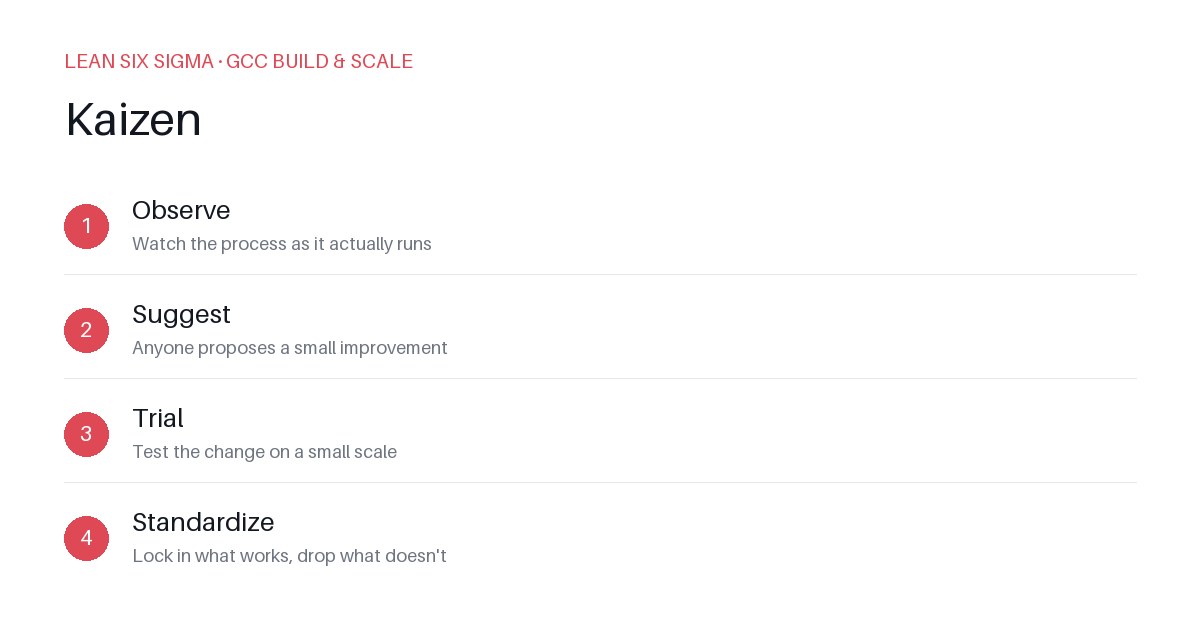
Downloadable templates
A practical walkthrough of applying Kaizen to real GCC build-and-scale work.
Kaizen Habits for Distributed GCC Teams
Why Kaizen Matters for GCC Teams
Scaling a Global Capability Center means standardizing work across sites, handoffs, and teams that have never worked together before. Kaizen gives you a shared vocabulary and a repeatable sequence for doing that.
In distributed environments, friction often hides in the gaps between teams. A process that looks smooth in one region may break down when it crosses time zones, cultural norms, or tool boundaries. Without a disciplined improvement loop, teams end up reinventing solutions, creating inconsistent documentation, and burning through change management budgets.
Kaizen isn’t about sweeping overhauls. It’s about building a muscle — a habit of continuous, incremental improvement that anyone can contribute to. When embedded into daily operations, it turns isolated fixes into institutional knowledge.
The Kaizen Sequence
- Observe — Watch the process as it actually runs
- Suggest — Anyone proposes a small improvement
- Trial — Test the change on a small scale
- Standardize — Lock in what works, drop what doesn’t
This sequence is deliberately simple because complexity kills adoption. Each step is designed to be completed within days, not months. The goal is momentum — proving that small changes yield real results, which builds trust and encourages broader participation.
Applying It
Start small: pick one recurring pain point your GCC team hits every week, and walk it through these 4 steps before rolling the approach out more broadly. Download the template below to run your first pass.
Step 1: Observe — Map the Real Process
Don’t start with what you think the process should be. Start with what it actually is.
- Shadow the workflow: Sit with team members as they execute the task. Note delays, rework, manual steps, and handoff friction.
- Capture the current state: Use a simple flowchart or timeline. Highlight where time is lost or errors occur.
- Ask “why” three times: For each bottleneck, drill down to uncover root causes, not just symptoms.
Example: If your GCC team spends hours reconciling data between two systems every Friday, observation might reveal that the disconnect happens because one system exports in a format the other doesn’t support — a technical debt issue disguised as a process inefficiency.
Step 2: Suggest — Involve the Frontline
The people who execute the process know where it breaks. Empower them to propose fixes.
- Run a quick suggestion session: Gather the team for 30 minutes. Use a whiteboard or digital tool to collect ideas.
- Filter for impact and effort: Prioritize suggestions that are high-impact but low-effort. Avoid “big wins” that require heavy resources.
- Assign an owner: Each suggestion needs a person responsible for testing it, not just suggesting it.
Example: A team member suggests automating a manual CSV conversion step using a simple script. It takes one hour to build and could save five hours of weekly work.
Step 3: Trial — Test Before You Commit
Never roll out a change without testing it in a controlled environment.
- Define success criteria: What will “working” look like? How will you measure it?
- Run a pilot: Apply the change to a small subset of work or a single project.
- Gather feedback: After the trial, ask: Did it work? Did it create new problems? What would you change?
Example: The script runs successfully on one dataset. The team confirms it reduces error rates and frees up time for higher-value work.
Step 4: Standardize — Make It Stick
Improvements die when they’re not documented and adopted.
- Document the new process: Update SOPs, runbooks, or wikis. Include visuals if helpful.
- Train and reinforce: Share the change with relevant teams. Schedule a quick Q&A if needed.
- Monitor and iterate: Set a reminder to revisit the process in 30–60 days. Kaizen is never “done.”
Example: The script is added to the team’s automation library. New hires are trained on it during onboarding. The weekly reconciliation task is now automated, and the team uses the saved time for process improvement initiatives.
Building the Habit
Kaizen isn’t a one-time project. It’s a mindset. To sustain it:
- Schedule regular improvement cycles: Dedicate time each sprint or month for Kaizen activities.
- Celebrate small wins: Recognition drives participation. Acknowledge teams and individuals who drive improvements.
- Lead by example: Managers should participate in Kaizen, not just direct it.
When embedded into your GCC’s operating rhythm, Kaizen becomes a competitive advantage — a culture of continuous learning that adapts faster than the market.
Comments
Be the first to comment on this post.
Sign in to leave a comment.