Using DMAIC to Fix GCC Onboarding Delays
September 27, 2026
Like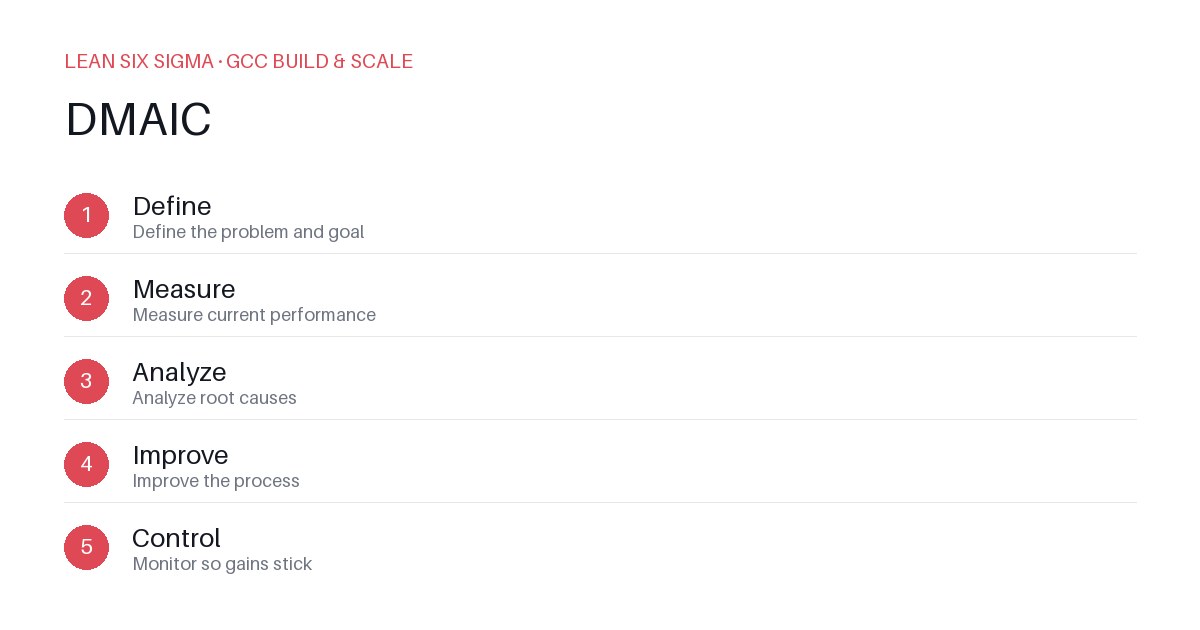
Downloadable templates
A practical walkthrough of applying DMAIC to real GCC build-and-scale work.
Why DMAIC Matters for GCC Teams
Scaling a Global Capability Center means standardizing work across sites, handoffs, and teams that have never worked together before. DMAIC gives you a shared vocabulary and a repeatable sequence for doing that. When GCC teams struggle with onboarding delays — whether for new hires, contractors, or cross-functional project members — ad-hoc fixes often create more chaos than clarity. DMAIC forces discipline: you name the problem, quantify it, hunt for the real cause, design a fix, and then lock it in. The result isn’t just faster onboarding; it’s predictable, auditable, and scalable.
The DMAIC Sequence
- Define — Define the problem and goal
- Measure — Measure current performance
- Analyze — Analyze root causes
- Improve — Improve the process
- Control — Monitor so gains stick
Applying It
Start small: pick one recurring pain point your GCC team hits every week, and walk it through these 5 steps before rolling the approach out more broadly. Download the template below to run your first pass.
Step-by-Step Application to Onboarding Delays
Define: Pinpoint the Exact Failure
Don’t start with “onboarding is slow.” Start with: “New GCC analysts take 14 business days to reach productive status, compared to the 7-day target, and 60% miss their first sprint delivery deadline.” Include scope: which roles, which sites, which teams. State success criteria: “Reduce time-to-productivity to ≤7 days within 90 days, with ≥80% of new hires meeting their first milestone.”
Measure: Quantify the Baseline
Track leading and lagging indicators. Examples:
- Days from offer acceptance to first logged ticket
- Hours spent in IT setup, access provisioning, and system logins
- Number of status-check meetings per week during onboarding
- % of onboarding tasks completed by day 3
- Manager-reported confidence in new hire readiness at day 7
Use time-stamped logs, ticketing system exports, and short pulse surveys. Establish a baseline over at least two full onboarding cycles to smooth out anomalies.
Analyze: Find the Real Bottlenecks
Don’t guess — use data. Common root causes in GCC onboarding include:
- Delayed IT access due to fragmented vendor workflows
- Lack of standardized training materials, forcing managers to recreate content
- Overloaded onboarding buddies with no capacity or training
- Missing handoff checkpoints between HR, IT, and business units
Use a fishbone diagram or 5 Whys to trace delays to their source. For example, if “delayed access” is the symptom, ask: Why? → “IT ticket backlog.” Why? → “No priority queue for GCC hires.” Why? → “Lack of SLA agreement with IT.” Now you have a fixable process gap, not just a symptom.
Improve: Design and Pilot the Fix
Based on your analysis, implement targeted changes. Examples:
- Create a GCC-specific IT access runbook with pre-approved role templates
- Assign dedicated onboarding champions per site, with protected time blocks
- Build a single source of truth for role-specific training checklists
- Introduce automated status dashboards visible to HR, IT, and managers
Run a pilot with one cohort. Compare metrics against baseline. Adjust before scaling.
Control: Embed and Monitor
Document the new process. Train facilitators. Set up weekly dashboards tracking time-to-productivity, task completion rates, and new hire feedback. Assign ownership: who reviews the dashboard? Who escalates slippage? Review gains monthly and update the process as GCC scales. Without control, improvements decay within 60 days.
Why This Works for GCC Teams
DMAIC isn’t a one-time project — it’s an operating rhythm. When applied to onboarding, it turns chaos into cadence. Teams stop firefighting and start forecasting. Managers gain visibility. New hires feel supported. And the GCC builds a reputation for reliability that attracts talent and accelerates delivery.
Comments
Be the first to comment on this post.
Sign in to leave a comment.