Using DMAIC to Fix GCC Onboarding Delays
November 1, 2026
Like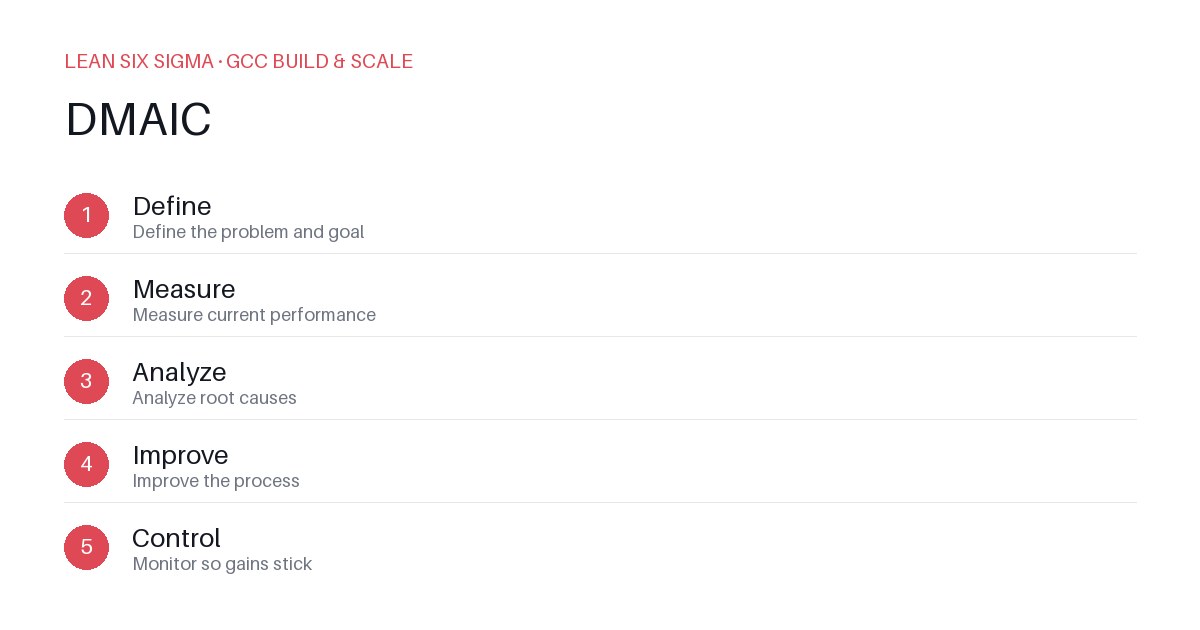
Downloadable templates
A practical walkthrough of applying DMAIC to real GCC build-and-scale work.
Why DMAIC Matters for GCC Teams
Scaling a Global Capability Center means standardizing work across sites, handoffs, and teams that have never worked together before. DMAIC gives you a shared vocabulary and a repeatable sequence for doing that. Without a structured framework, onboarding becomes a patchwork of tribal knowledge — some sites excel while others fall behind, creating bottlenecks that delay time-to-productivity for new hires. DMAIC turns that chaos into a measurable, improvable process.
The DMAIC Sequence
- Define — Define the problem and goal
- Measure — Measure current performance
- Analyze — Analyze root causes
- Improve — Improve the process
- Control — Monitor so gains stick
Applying It
Start small: pick one recurring pain point your GCC team hits every week, and walk it through these 5 steps before rolling the approach out more broadly. Download the template below to run your first pass.
Step 1: Define — Pinpoint the Exact Onboarding Delay
Begin by clearly articulating what “onboarding delay” means in your context. Is it the time from offer acceptance to first billable hour? The number of days before a new hire can independently complete a standard task? Define success metrics upfront — for example, “Reduce average onboarding time from 45 days to 30 days within two quarters.” Avoid vague statements like “onboarding is slow.” Instead, specify who is affected, where delays occur, and what impact they have on project delivery or client satisfaction.
Step 2: Measure — Gather Baseline Data
You can’t improve what you don’t measure. Collect quantitative data on current onboarding timelines across sites and teams. Track metrics such as:
- Days from start date to first milestone completion
- Number of rework cycles due to unclear expectations
- Time spent in administrative setup (IT, access provisioning, documentation)
- Feedback scores from new hires and their managers
Use surveys, HRIS exports, and project management tools to build a baseline. This step reveals whether delays are consistent or sporadic, and helps identify which sites or teams are outliers.
Step 3: Analyze — Uncover Root Causes
Don’t jump to solutions yet. Use tools like fishbone diagrams or 5 Whys to dig into why delays happen. Common root causes in GCC onboarding include:
- Inconsistent training materials across regions
- Manual handoffs between HR, IT, and technical teams
- Lack of standardized checklists for first-week activities
- Over-reliance on senior staff for day-to-day guidance
Categorize findings by frequency and impact. Prioritize issues that cause the most delay or cost. This analysis ensures you’re fixing the real problem, not just its symptoms.
Step 4: Improve — Implement Targeted Changes
Based on your analysis, design interventions. Examples:
- Create a centralized onboarding playbook with role-specific checklists
- Automate access provisioning using IT service management tools
- Assign dedicated onboarding buddies for the first two weeks
- Schedule weekly syncs between HR and technical leads to track progress
Pilot changes in one site or team first. Document what works, what doesn’t, and adjust accordingly. Keep improvements simple and actionable — complexity often backfires in early phases.
Step 5: Control — Sustain Gains
Improvements fade without monitoring. Implement dashboards that track onboarding metrics in real time. Assign ownership for review cadences — for example, a monthly cross-functional meeting to discuss delays and celebrate wins. Update the playbook as processes evolve. Embed feedback loops so new hires and managers can flag bottlenecks early. This ensures gains become permanent, not temporary.
Applying It
Start small: pick one recurring pain point your GCC team hits every week, and walk it through these 5 steps before rolling the approach out more broadly. Download the template below to run your first pass.
Comments
Be the first to comment on this post.
Sign in to leave a comment.