Building a SIPOC Map for Standing Up a New GCC Function
August 27, 2026
Like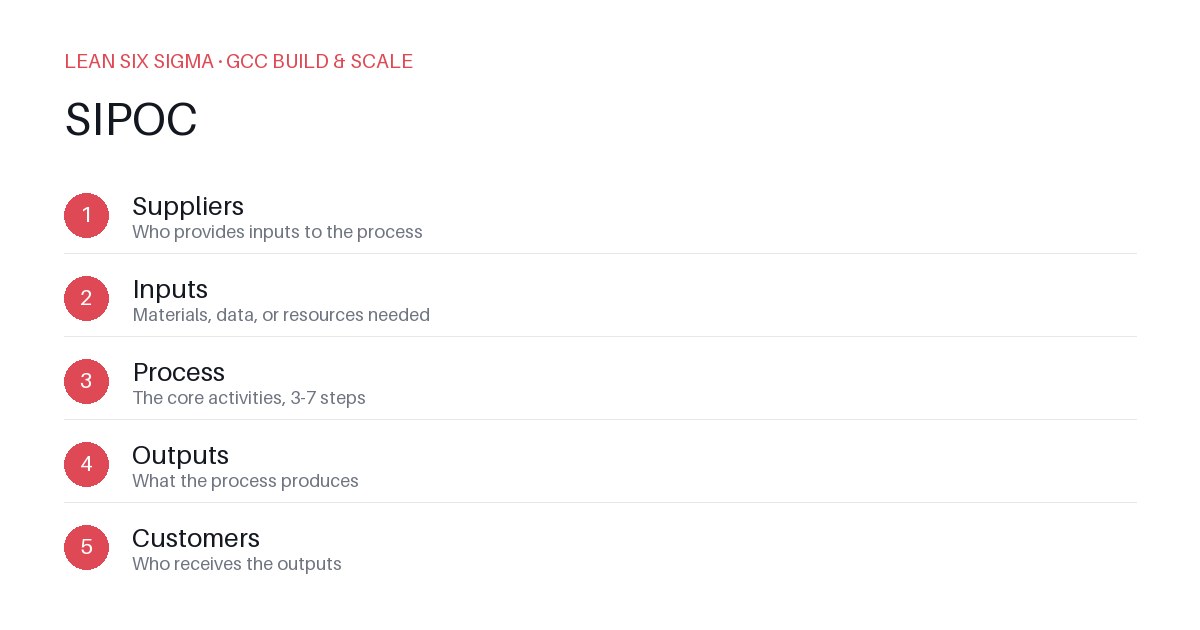
Downloadable templates
Map suppliers, inputs, processes, outputs, and customers to avoid hidden bottlenecks when launching a new GCC capability.
You're getting the green light to stand up a new function in your Global Capability Center (GCC). Maybe it's AI-driven demand forecasting or a unified customer support playbook. The excitement is real, but the execution risk is higher than you think. Most GCC launches fail because teams skip the foundational mapping step and dive straight into hiring and tools. That's how you build capability on a foundation of guesswork.
SIPOC—Suppliers, Inputs, Processes, Outputs, Customers—is the Lean Six Sigma framework that forces you to define the value stream before you lift a finger. It’s not a nice-to-have; it’s a risk-mitigation tool. Here’s how to build one that actually works.
Define the Scope with Precision
Vague goals create vague SIPOCs. If your function is 'improve customer satisfaction,' you’ve already set yourself up for failure. You need a specific process boundary. For example, 'Automated Tier-1 incident resolution using LLM triage.' That’s a process. You can map it. You can measure it. You can control it.
Write this down. Put it on a sticky note. Make it visible. Every stakeholder who joins the SIPOC workshop must agree on what the process starts and ends. No ambiguity.
Identify Suppliers and Inputs
Who or what provides the raw materials for your new function? Suppliers aren’t just people; they can be systems, databases, or legacy processes.
- Data suppliers: CRM exports, ticketing logs, historical resolution rates.
- Tool suppliers: LLM APIs, ticketing software, monitoring dashboards.
- Human suppliers: SMEs who will validate outputs, QA engineers who will test the model.
List them. Rate their reliability. If a supplier is a flaky legacy system, you need a mitigation strategy now, not after launch. Document the input format. What does the data look like? Is it clean? Is it real-time or batch? This determines your process design.
Map the Core Processes
Break the process into discrete steps. Not 'analyze data.' That’s too broad. Use action verbs and specific actions.
- Ingest data from CRM and ticketing systems.
- Clean and normalize data using ETL scripts.
- Train and validate the LLM model on historical cases.
- Deploy the model to the staging environment.
- Monitor for drift and accuracy degradation.
Each step needs a owner and a metric. Who runs the ETL? How often? What’s the acceptable error rate? If you can’t answer these, your process isn’t ready.
Define Outputs and Customers
What does this function deliver? Outputs must be measurable and valuable.
- Primary output: Automated incident classification with 90% accuracy.
- Secondary output: Weekly performance dashboard for support leads.
Who consumes these outputs? That’s your customer.
- Internal customers: Support agents, QA team, process owners.
- External customers: End-users who get faster resolution times.
If you don’t know who the customer is, you don’t know what value you’re delivering. Align with them early. Get their sign-off on the output definitions before you build anything.
Use the SIPOC to Drive Decisions
Once you have the map, use it to stress-test your launch plan.
- Gap analysis: Are there missing inputs? Unmapped suppliers? Fix them now.
- Risk identification: Which process steps are highest risk? Focus your QA and monitoring there.
- Resource planning: Do you need more SMEs for validation? More data engineers for ETL? The SIPOC tells you where to invest.
Keep It Living
A SIPOC isn’t a one-time exercise. As your GCC function matures, revisit the map. Add new suppliers. Refine inputs. Update processes. The goal is continuous improvement, not a static document. Treat the SIPOC as a living artifact that evolves with your capability.
Building a GCC function is hard. But starting with a clear SIPOC turns chaos into control. Do the work upfront, and your launch will be smoother, faster, and more valuable.
Comments
Be the first to comment on this post.
Sign in to leave a comment.