PDCA Loops for GCC Vendor Governance
October 3, 2026
Like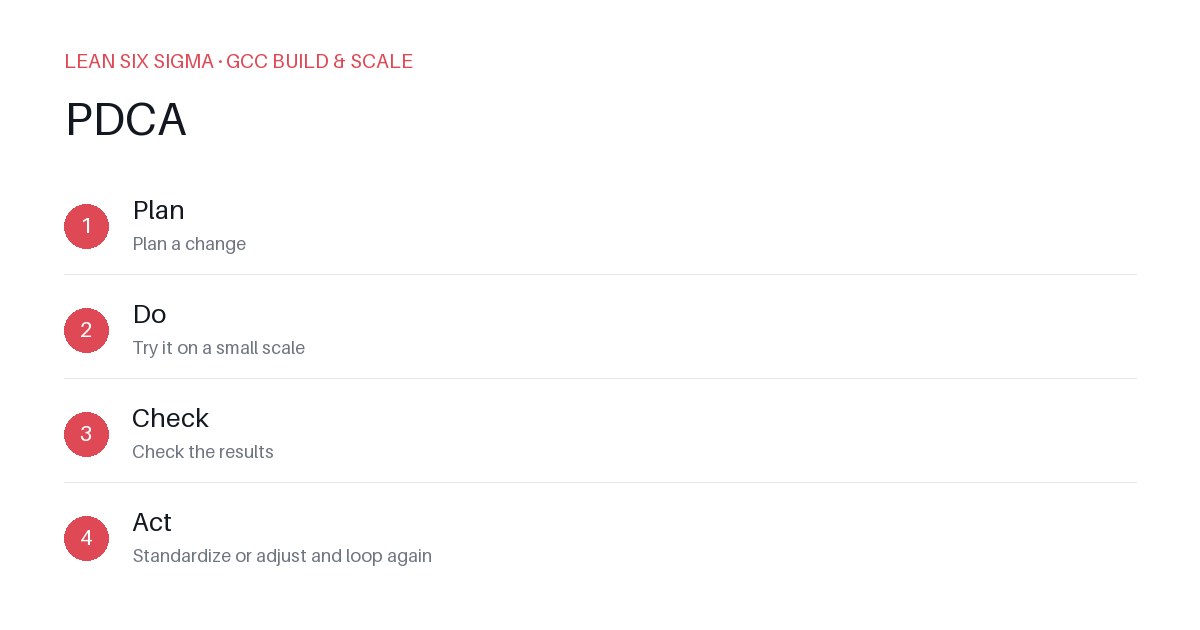
Downloadable templates
Use PDCA to turn vendor governance from a paperwork exercise into a continuous improvement engine.
Why Traditional Vendor Reviews Fail
Most GCCs treat vendor governance as an annual audit cycle. You collect metrics, flag exceptions, and hope the vendor fixes them before the next review. This creates a false sense of security. By the time you see the report, the service level breach has already cost you production time or data integrity.
PDCA (Plan-Do-Check-Act) forces continuous engagement. You stop treating vendors as black boxes and start treating them as partners in your operational improvement loop.
Plan: Define the Governance Scope
Don't start with a 100-page SLA. Start with the specific pain point.
- Select one process: Pick a high-impact area like incident response, code deployment frequency, or data backup verification.
- Set a baseline: Measure current performance for 30 days. If your vendor's MTTR (Mean Time To Resolve) is 4 hours, that's your baseline.
- Define the target: Set a realistic goal, like 2 hours. Ensure both your GCC team and the vendor agree on the metric definition. Ambiguity kills PDCA.
Do: Implement the Change
This is the execution phase. Do not change everything at once.
- Deploy the fix: If the issue is slow approvals, implement a tiered approval workflow. If it's poor communication, schedule a daily 15-minute sync.
- Keep it simple: Use existing tools. You don't need new software. A shared Slack channel with a clear escalation path is often enough for the "Do" phase.
- Document deviations: Note any external factors that affect the vendor's performance. Was there a network outage in their data center? Was your internal team delayed in providing access? Context matters.
Check: Measure Against the Baseline
Review the data after a set period, usually 2 to 4 weeks.
- Compare numbers: Is the MTTR 2 hours? If yes, move to Act. If no, why? Look at the data, not just the summary.
- Identify root causes: If the metric didn't improve, was it a process issue or a capability issue? Did the vendor lack the tools to fix it? Or did they lack the motivation?
- Conduct a blameless retrospective: Sit with the vendor team. Ask what went wrong. Often, the vendor has insights you miss because you're focused on the output, not their internal workflow.
Act: Standardize or Iterate
This is where most GCCs stop. The Act phase is critical.
- Standardize: If the change worked, update the vendor's standard operating procedure. Make this the new baseline. Document the change in your governance framework so new vendors know the expectation.
- Iterate: If it failed, start a new PDCA loop. Adjust the plan. Maybe the target was too aggressive. Maybe the vendor needs additional training.
Scaling the Loops
Once you master one process, replicate the loop across other vendor relationships.
- Create a playbook: Document your PDCA steps. Share this with your vendor management team.
- Train the vendor: Teach your vendors how to use PDCA. When they understand the loop, they become proactive rather than reactive.
- Review quarterly: Hold a quarterly governance meeting focused on PDCA progress. Celebrate wins. Discuss challenges. Keep the momentum going.
PDCA turns vendor governance from a compliance checkbox into a value driver. By focusing on continuous improvement, you build stronger partnerships and more resilient GCC operations.
Comments
Be the first to comment on this post.
Sign in to leave a comment.