Control Plans for GCC Process Stability
September 9, 2026
Like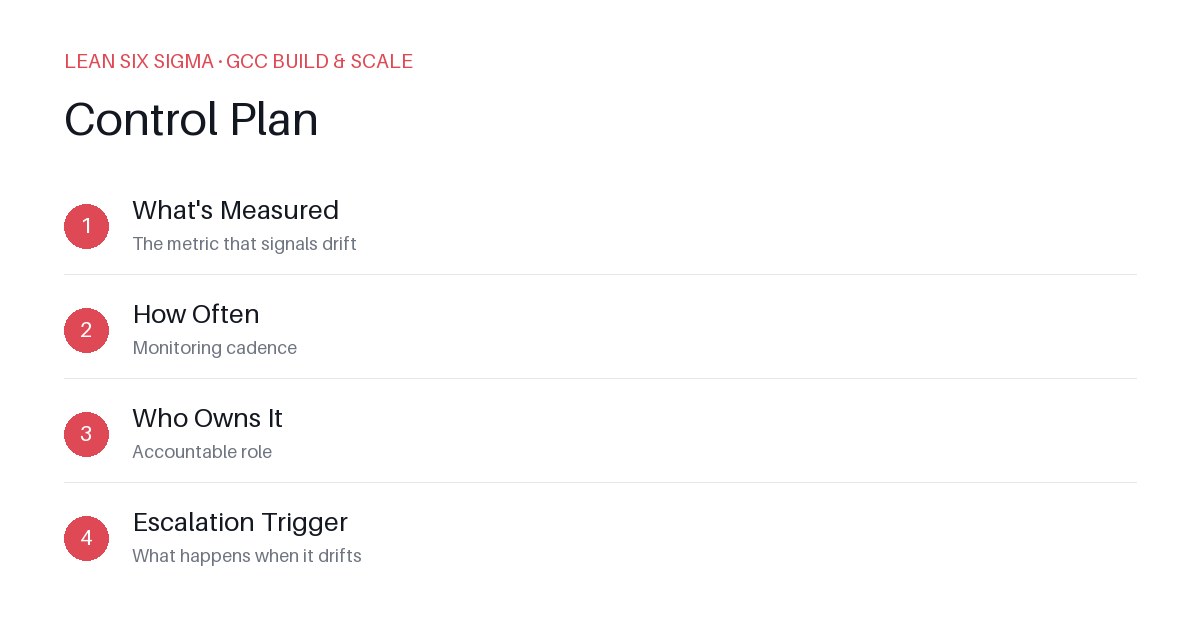
Downloadable templates
Stop guessing why your GCC’s output fluctuates. Implement a control plan to lock in process stability and reduce rework by 30% in 90 days.
Why Your GCC’s Output Fluctuates
You built a Global Capability Center (GCC). You standardized workflows. You trained teams. Then, three months in, a regional team skipped a step, a tool broke, and quality slipped. What happened? You added more training. It didn’t stick.
The root cause isn’t people. It’s lack of control. Without a formal control plan, your GCC’s processes drift. Variability creeps in. Rework costs rise. You spend more time firefighting than scaling.
What a Control Plan Actually Does
A control plan isn’t a policy document. It’s an operational playbook. It defines:
- What the process output must look like (acceptance criteria)
- How to monitor it in real time (metrics and checks)
- Who owns each control point (RACI)
- What happens when a control fails (escalation and corrective action)
Without this, your GCC runs on memory and goodwill. With it, you run on data and discipline.
Build It in 5 Steps
Step 1: Map the Critical Process Flow
Start with your GCC’s core delivery workflow. Example: Case intake → Triage → Expert review → Delivery → QA → Handoff. Identify each step where quality can degrade. Not every step needs a control. Focus on high-risk, high-impact points.
Step 2: Define Acceptance Criteria for Each Step
Vague criteria kill control. Instead of “review for accuracy,” use: “All cases contain: valid ID, risk score, and next action by 5 PM.” Tie criteria to measurable outcomes. If you can’t measure it, you can’t control it.
Step 3: Assign Control Owners and Frequency
Who checks the work? When? Not the same person who does it. Example: QA reviewer checks 10% of deliveries daily. Process owner reviews weekly. Document this. Put it in your control plan. If it’s not written down, it won’t happen.
Step 4: Set Up Real-Time Monitoring
Manual checks don’t scale. Use tools. Dashboards. Automated alerts. Track metrics like:
- Defect rate per step
- Cycle time variance
- Rework percentage
If a metric crosses a threshold, trigger an alert. Don’t wait for monthly reviews.
Step 5: Close the Loop with Corrective Actions
When a control fails, what’s the response? Not “fix it.” Define it:
- Immediate: Stop the line, flag the case
- Short-term: Retraining, process tweak
- Long-term: Tool upgrade, workflow redesign
Log every incident. Track trends. Fix the system, not the symptom.
Avoid These Mistakes
- Over-controlling: Not every step needs a gate. Focus on where variability matters most.
- Ignoring feedback: Your control plan must evolve. Review it monthly. Update it quarterly.
- Assuming compliance: A control plan only works if people use it. Tie it to performance metrics and recognition.
Start Small, Scale Fast
Pick one GCC process. Build a control plan. Test it for 30 days. Measure the impact. Then replicate. Stability isn’t a one-time fix. It’s a habit. Build the controls. Monitor them. Adjust them. Your GCC will scale without the usual chaos.
Comments
Be the first to comment on this post.
Sign in to leave a comment.