Using DMAIC to Fix GCC Onboarding Delays
September 16, 2026
Like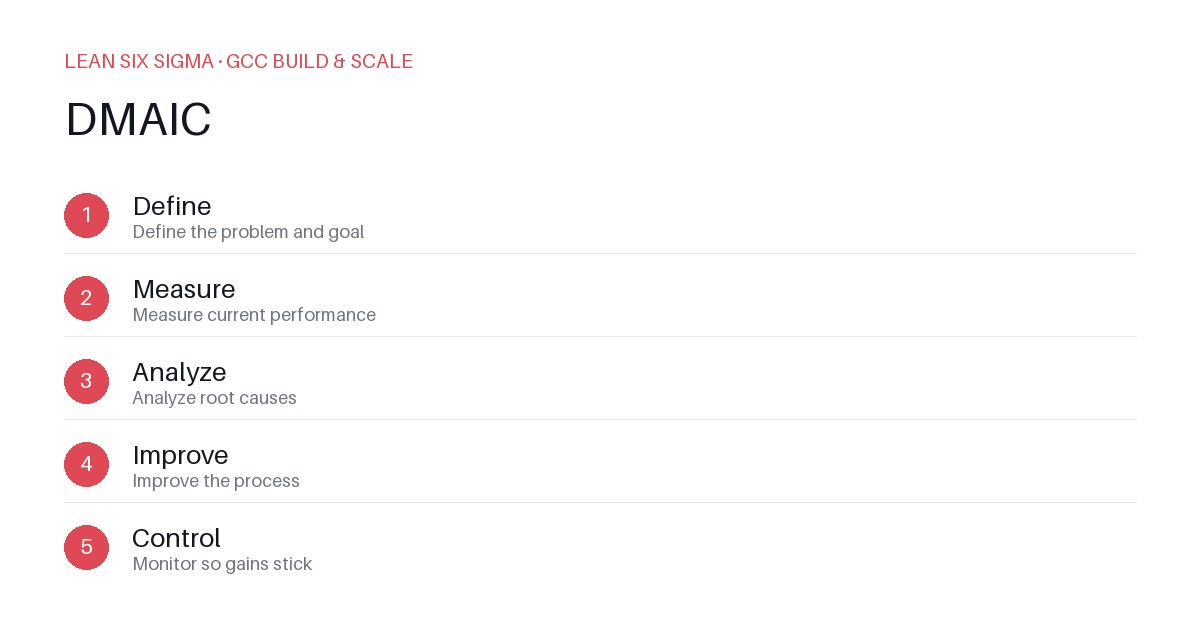
Downloadable templates
Apply DMAIC to identify and eliminate bottlenecks in your GCC onboarding process, reducing time-to-productivity by up to 40%.
Your Global Capability Center (GCC) promises world-class delivery, but new hires are stuck in onboarding limbo. Training cycles stretch beyond 60 days, tools are provisioned late, and subject matter experts (SMEs) are unavailable. The result? Your GCC loses momentum, and business units lose trust. DMAIC provides a structured path to diagnose and fix these delays without relying on guesswork.
Define: Quantify the Onboarding Pain
Start by defining the scope. Are you measuring onboarding from the day of hire to the first billable hour? Or from when a team member joins until they complete their certification? Be specific. Collect data from the last 20 hires. What are the average days-to-productivity? What is the variance?
Use a value stream map to visualize the process. Map each step: HR onboarding, IT provisioning, training modules, shadowing sessions, and performance reviews. Identify where time is lost. Is it waiting for access? Is it redundant training? Or is it a lack of clear expectations?
Measure: Gather Hard Data
Stop relying on anecdotal evidence. Implement a simple tracking system. Use a spreadsheet or a lightweight tool to log the duration of each step for every new hire. Track the cycle time from start to finish. Also, measure the defect rate: how many hires require retraining or fail their initial assessment?
Look for patterns. Are delays concentrated in specific regions? Do certain teams take longer to onboard new members? This data will reveal whether the problem is systemic or isolated to certain departments.
Analyze: Root Cause the Delays
With your data in hand, perform a root cause analysis. Use a fishbone diagram or a 5 Whys exercise. For example, if IT provisioning is taking 5 days, why? Is it a lack of automated scripts? Are there too many approval layers? Is the request form poorly designed?
Look for the 80/20 rule. Often, 20% of the steps cause 80% of the delays. Focus on these high-impact areas. If training is inefficient, it might be because materials are outdated or not role-specific. If shadowing is ineffective, it could be due to poor scheduling or lack of structured observation tasks.
Improve: Design and Implement Solutions
Now, design solutions. If IT provisioning is a bottleneck, implement automated scripts to provision accounts and access rights in under 24 hours. If training is too generic, create role-specific modules with practical scenarios. If shadowing is unstructured, develop a checklist for observers and a debrief template for new hires.
Run a pilot. Test your new process with a small group of hires. Monitor the cycle time and defect rate. Gather feedback from the new hires and the SMEs involved. Adjust the process based on this feedback. For example, if the automated scripts fail for certain regions, tweak the configuration or create a workaround.
Control: Standardize and Monitor
Once your improved process is validated, standardize it. Document the new workflow in a clear, step-by-step guide. Train the teams responsible for onboarding on this new process. Implement a feedback loop to continuously monitor performance. Track the cycle time and defect rate monthly. Set targets for continuous improvement. For example, aim to reduce onboarding time to 40 days within six months. Review the data regularly and make adjustments as needed. This ensures that your GCC onboarding process remains efficient and effective as you scale.
Comments
Be the first to comment on this post.
Sign in to leave a comment.